

Features
The extension has two main features: a checkpoint panel injected on commit and PR pages, and commit list badges that annotate commits with checkpoint data.Checkpoint Panel
When the extension finds a checkpoint for the current page, it injects a collapsible panel into the GitHub UI.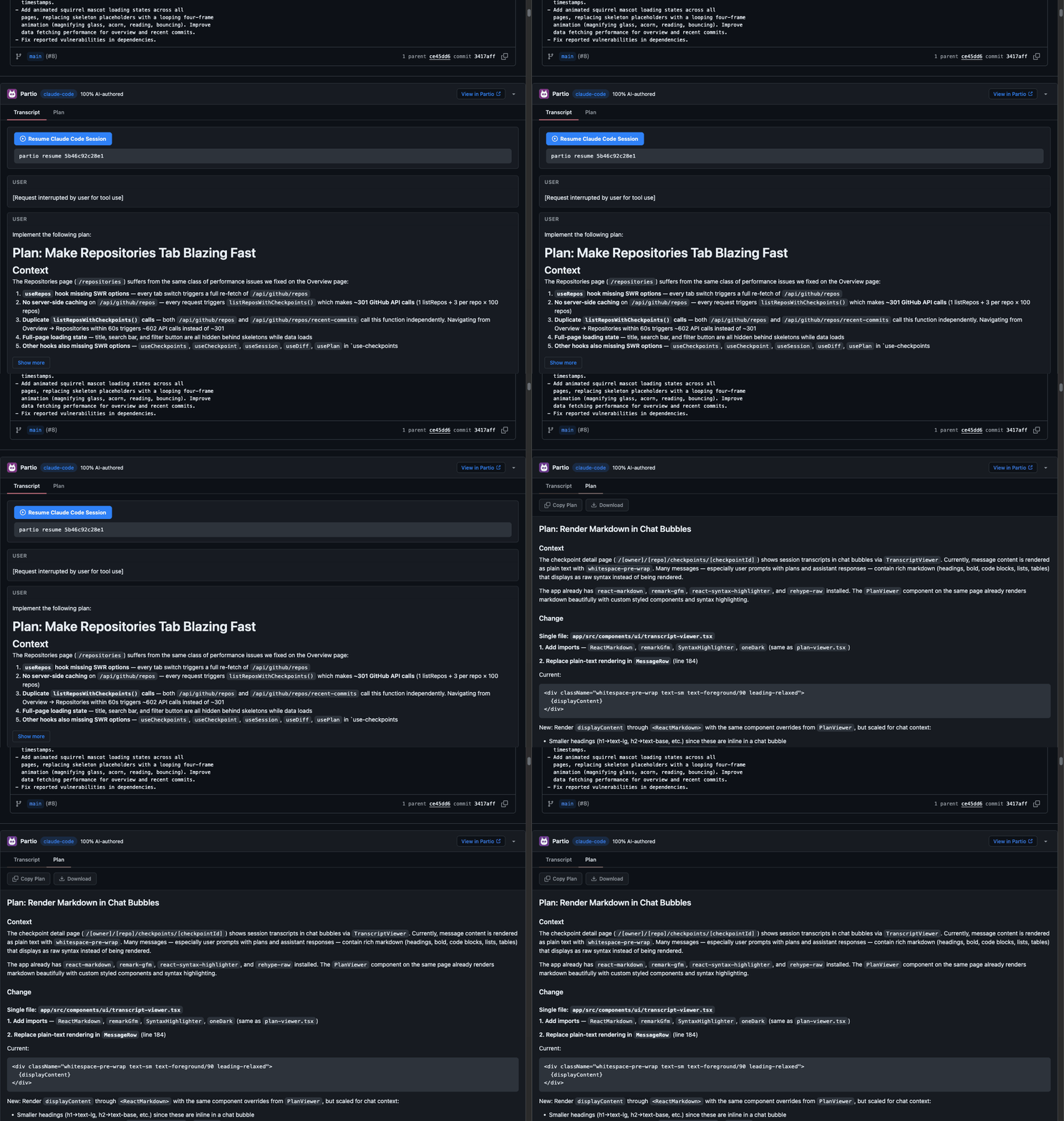
Header
The panel header is always visible and shows:- Partio logo and title
- Agent name — a colored badge showing which agent created the checkpoint (e.g., “claude-code”)
- AI authorship — the percentage of the commit authored by the AI agent (e.g., “75% AI-authored”), shown when greater than 0%
- View in Partio — link to the checkpoint detail page on app.partio.io
- Collapse button — click the header to expand or collapse the panel body
Transcript Tab
The transcript tab shows the agent session as a chat-style message list:- Messages are grouped by role (
userorassistant), each in a bordered card - Assistant messages have an accent-colored left border for visual distinction
- Tool badges appear inline showing which tools the agent called (e.g.,
bash,Read,Grep,Edit) - Long messages (over 1,000 characters) are truncated with a Show more button that toggles between the truncated and full view
- Resume session — at the bottom, a copyable command (
partio resume [checkpointId]) lets you resume the Claude Code session from your terminal
Plan Tab
The plan tab displays the agent’s plan as rendered markdown:- Full markdown support including headings, lists, code blocks, and inline code
- Copy Plan — copies the raw markdown to your clipboard
- Download — saves the plan as a
plan.mdfile
Commit List Badges
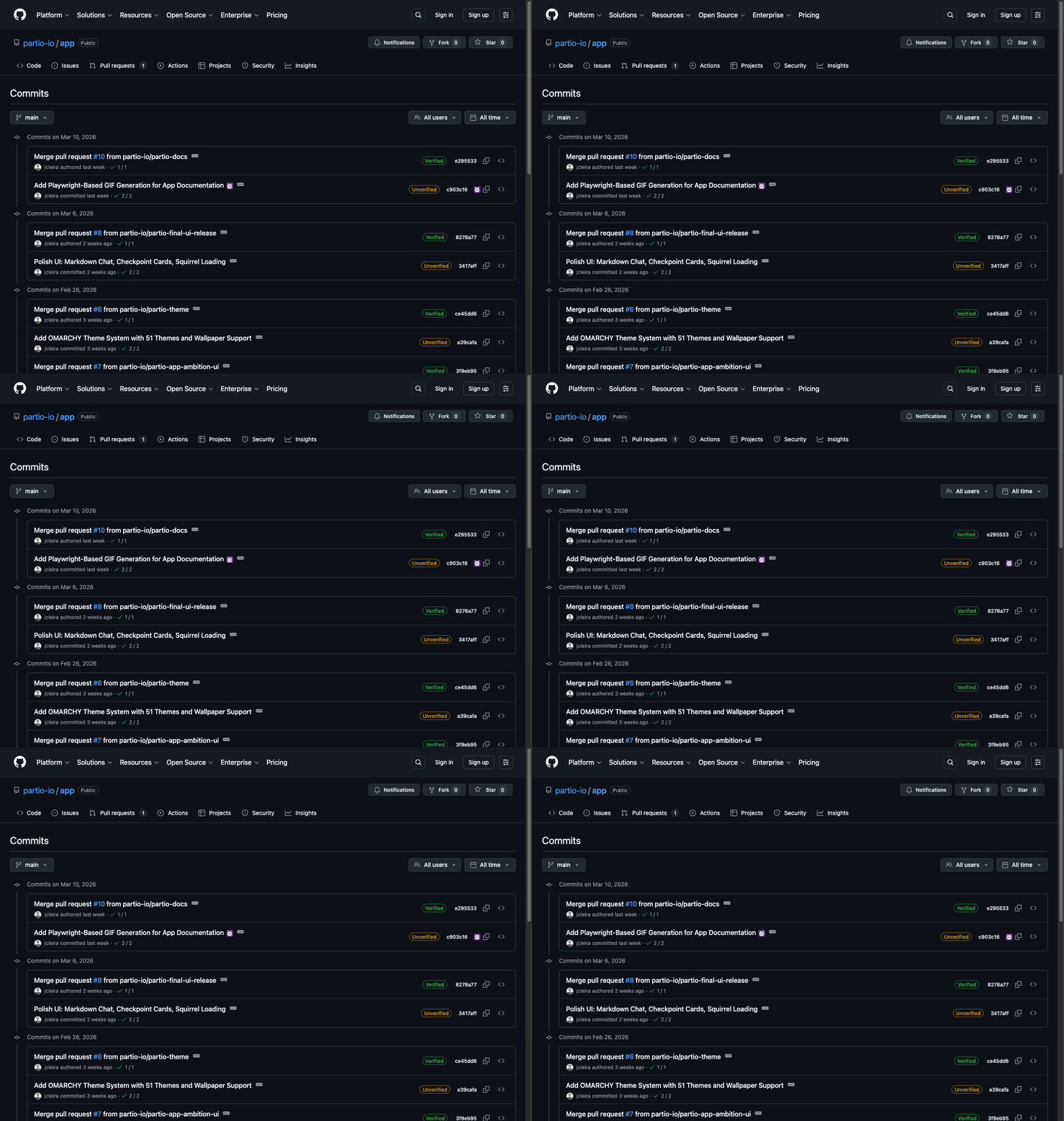
- Badges appear after the commit link text
- Hover to see a tooltip with the agent name and AI authorship percentage
- Click the badge to open the checkpoint detail page on app.partio.io
Checkpoint Discovery
The extension uses a multi-strategy approach to find the right checkpoint for a page:Strategy 1: Commit Trailers
The extension scans the commit message DOM for aPartio-Checkpoint trailer:
Strategy 2: SHA Matching
When no trailer is present, the extension gathers candidate SHAs from:- The current commit SHA
- Parent commits
- Merged commits (for merge commits)
- Associated PR commits
Strategy 3: Branch Matching
For squash merges and other cases where the original commit SHA is lost, the extension falls back to branch name matching:- PR head branch names
- Associated branch references