

Extension Overview
The partio Chrome extension surfaces checkpoint data — agent transcripts, plans, and authorship stats — directly on GitHub commit and pull request pages. Instead of switching to the dashboard, you can review what an AI agent did right where you already review code.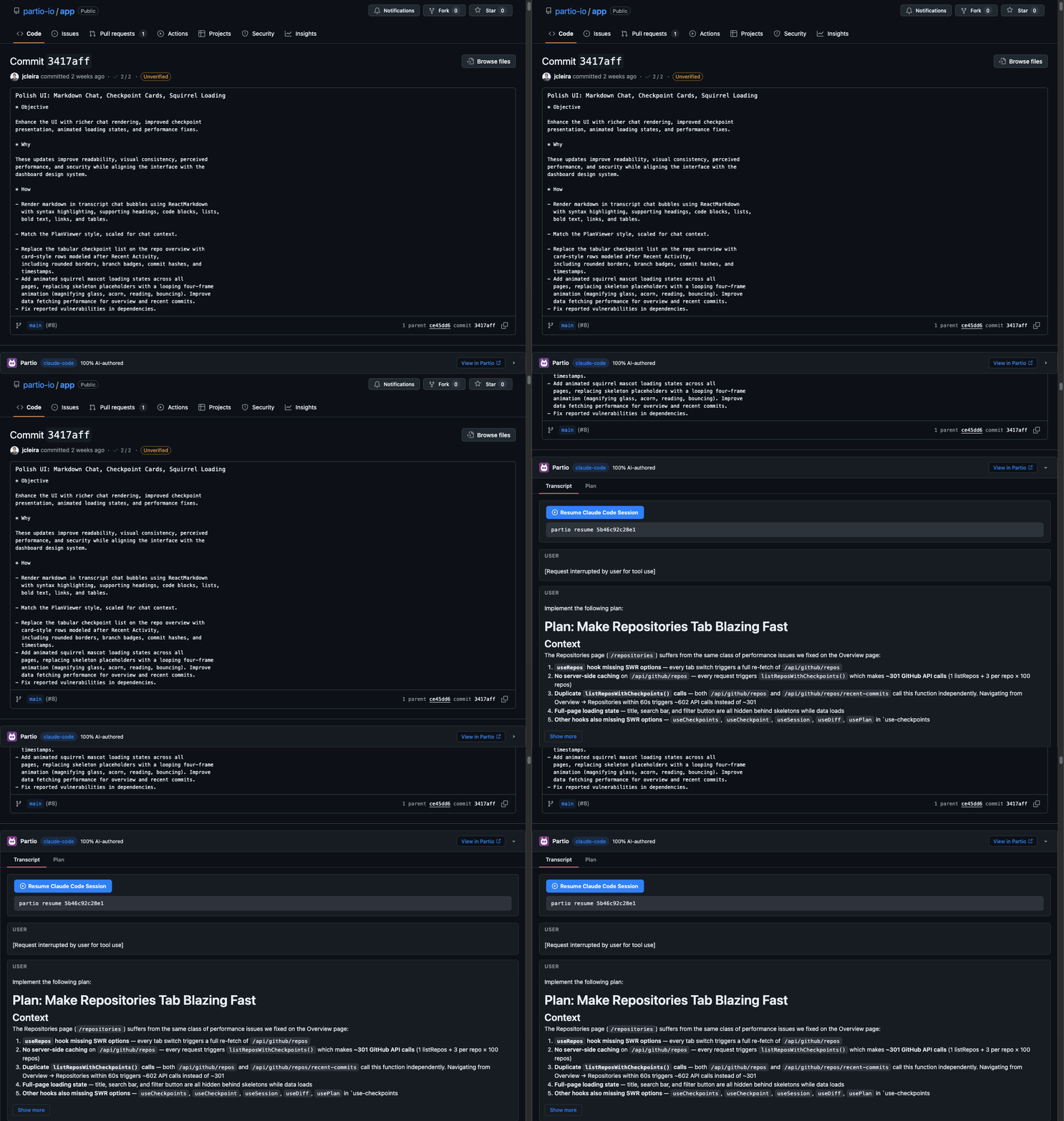
Installation
- Chrome Web Store
- Load unpacked (development)
Install the extension from the Chrome Web Store and it will be ready to use immediately after connecting your account.
Connecting to Partio
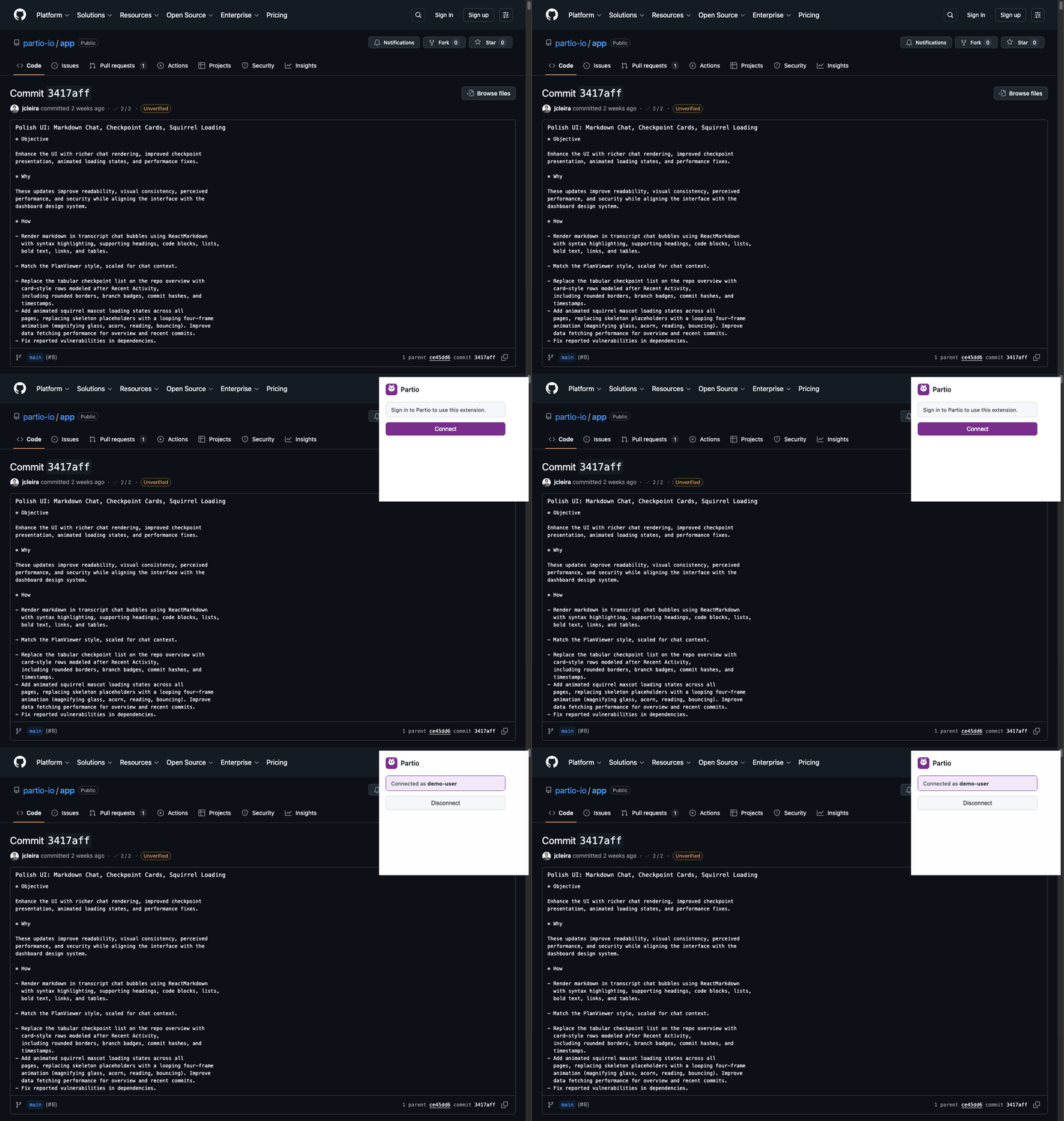
The extension needs two things to work: a session with app.partio.io and a GitHub token withrepo scope.
- Click the Partio icon in your browser toolbar to open the popup
- Click Connect — if you’re already signed in to app.partio.io, it connects automatically
- If you’re not signed in, a new tab opens to
app.partio.io/login— sign in with GitHub, then return to the popup
Supported GitHub Pages
The extension activates on four types of GitHub pages:
The extension listens for GitHub’s SPA navigation events (
turbo:load, pjax:end), so panels and badges update as you navigate without full page reloads.
How It Works
The partio CLI stores checkpoint data on apartio/checkpoints/v1 orphan branch in your repository. The extension reads this branch via the GitHub API to fetch metadata, session transcripts, and plans — then renders them inline on the page.
No data leaves your browser except API calls to GitHub (to read checkpoint data) and app.partio.io (for authentication). See Troubleshooting for privacy details.
Next Steps
- Features — detailed walkthrough of the checkpoint panel, commit badges, and discovery logic
- Troubleshooting — common issues and how to resolve them